
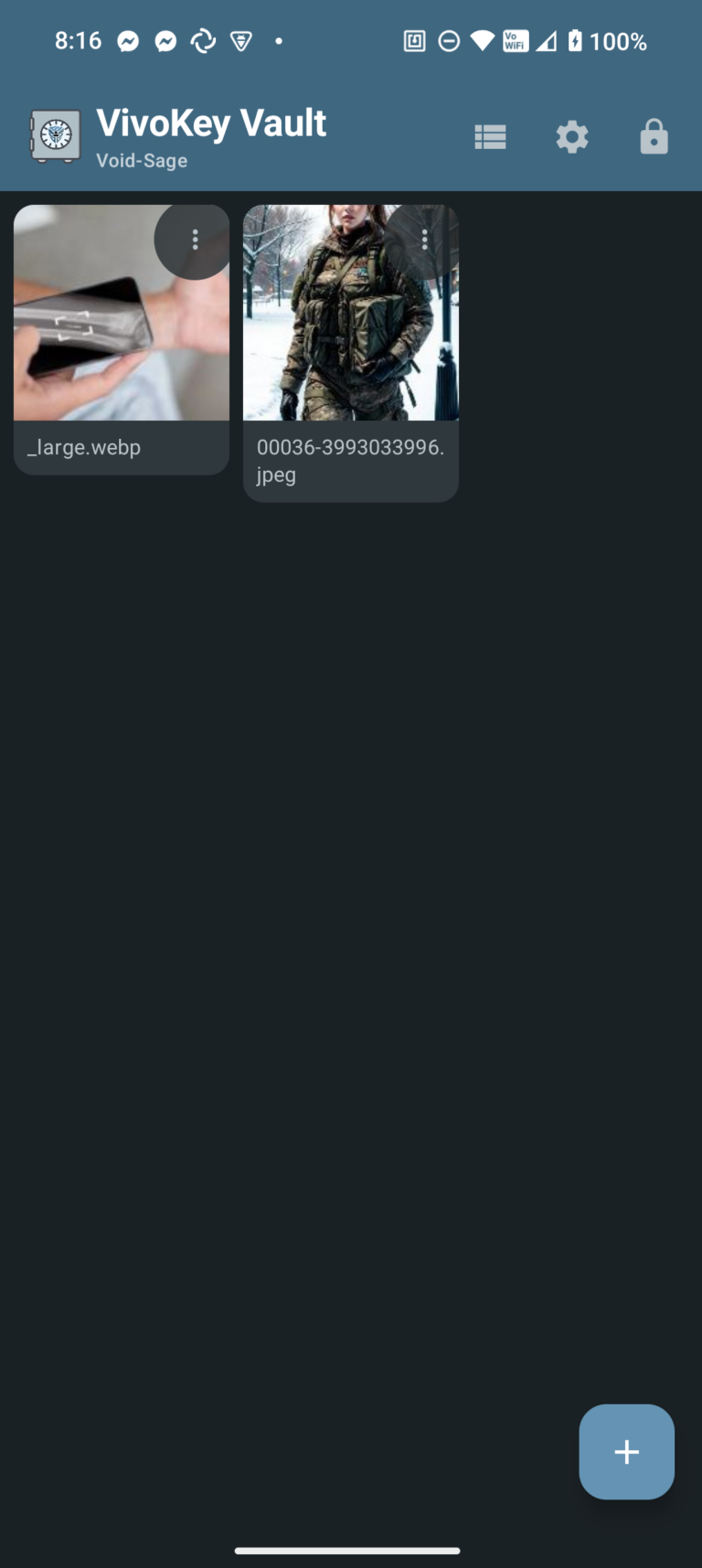
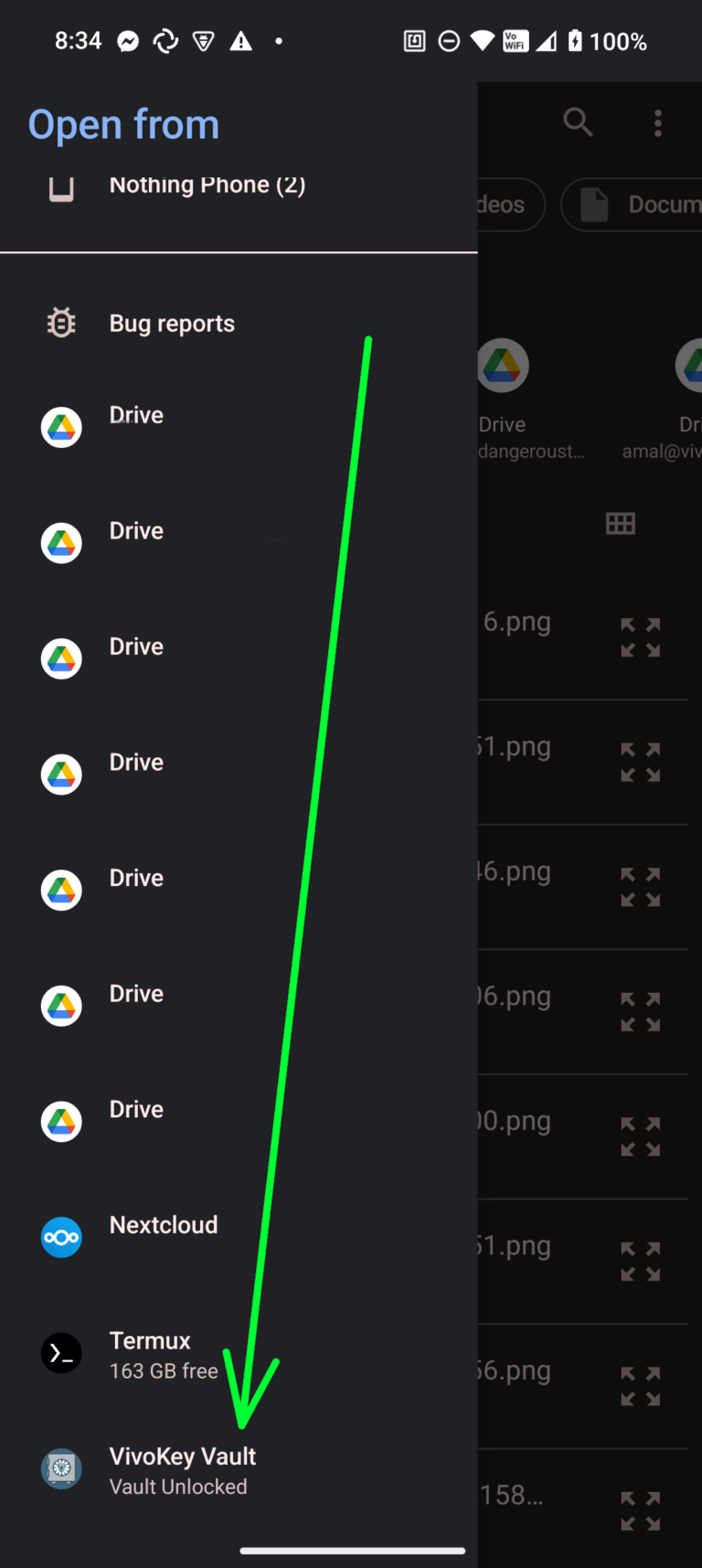
VivoKey Vault is a secure file storage application for Android that uses VivoKey NFC implants and our Verify API for authentication and encryption. Files are encrypted with AES-256-GCM and can only be accessed by physically tapping your registered chip, ensuring your data remains protected even if your device is compromised. The app integrates with Android's file system, allowing you to open vault files directly in other applications while maintaining end-to-end encryption.

Configuration
Once VivoKey Vault is installed, you will need to obtain a developer account ID and API key from our API page via email. Your developer ID is tied to master key derivation.
Online Consideration
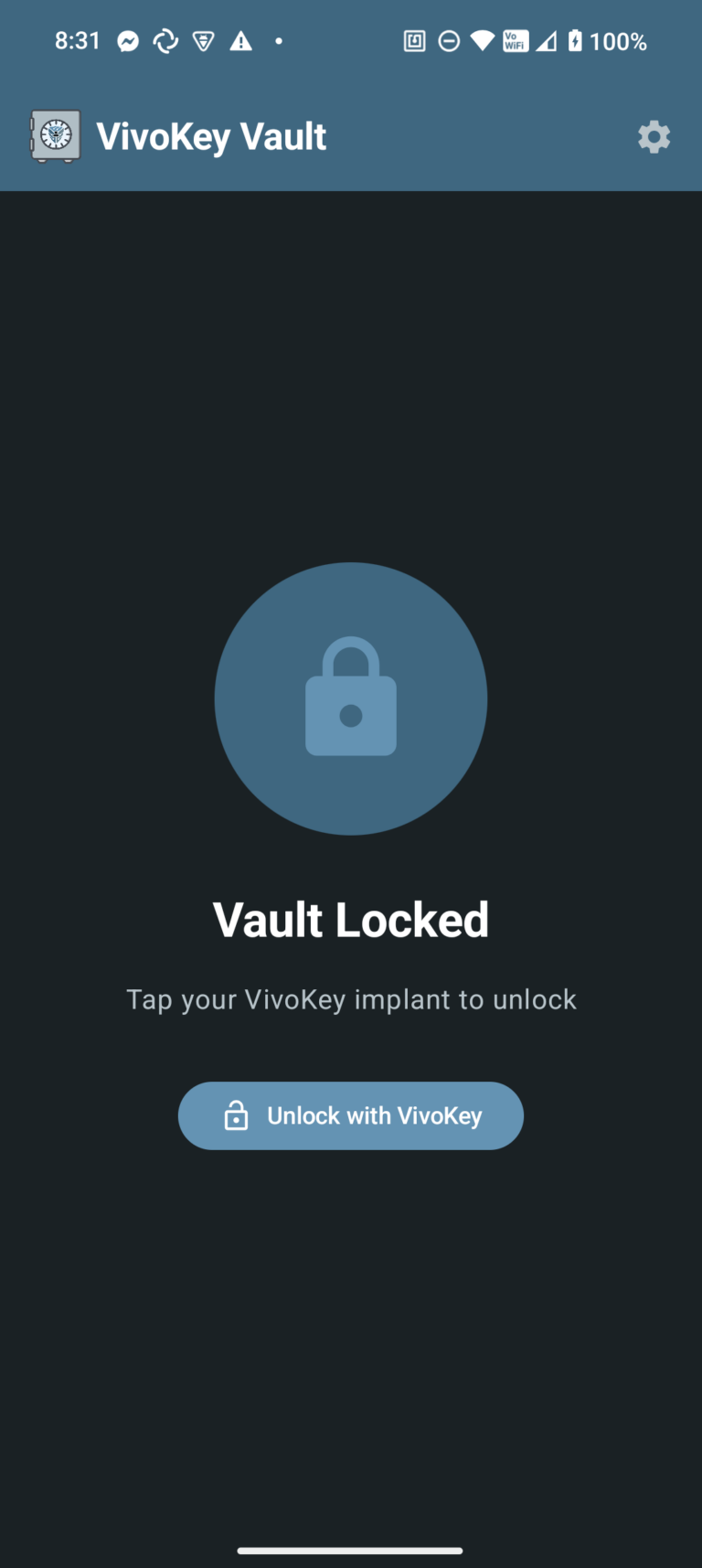
Because VivoKey Vault requires the use of the Verify API, your device must be online in order to unlock your vault. Once unlocked, file access does not require access to the Verify API. It is possible to unlock your vault in definitely (until phone restart), then go offline and maintain access to your vault contents until it is locked or your device is restarted.
Multiple Vault Support
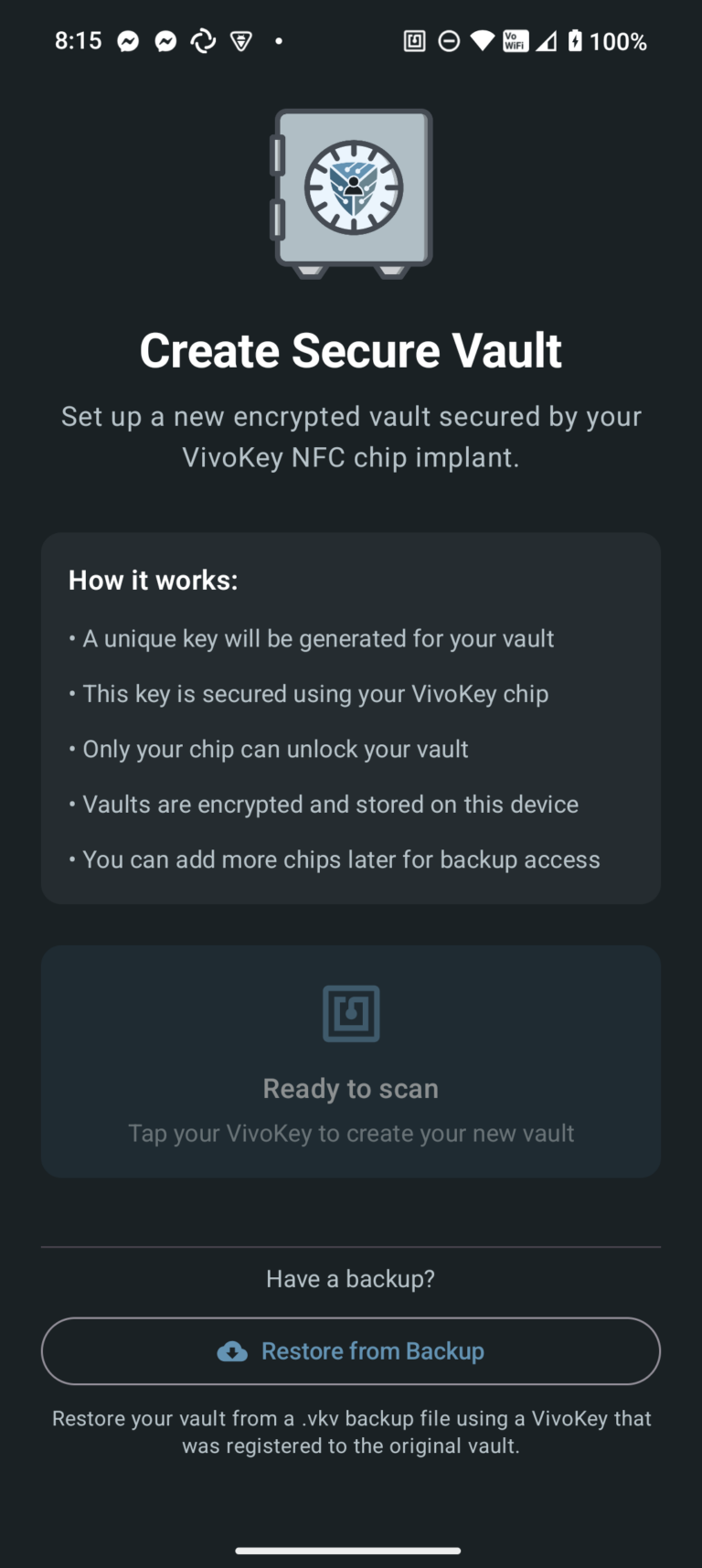
New vaults can be created by scanning a new, unregistered VivoKey NFC chip. With a focus on privacy and security, multiple vaults can silently exist on the device with no indication of how many vaults may be created. If necessary, this allows a kind of "duress vault" to be shown by scanning one VivoKey NFC chip, while keeping a different vault associated with a different VivoKey NFC chip.
Multiple Chip Support
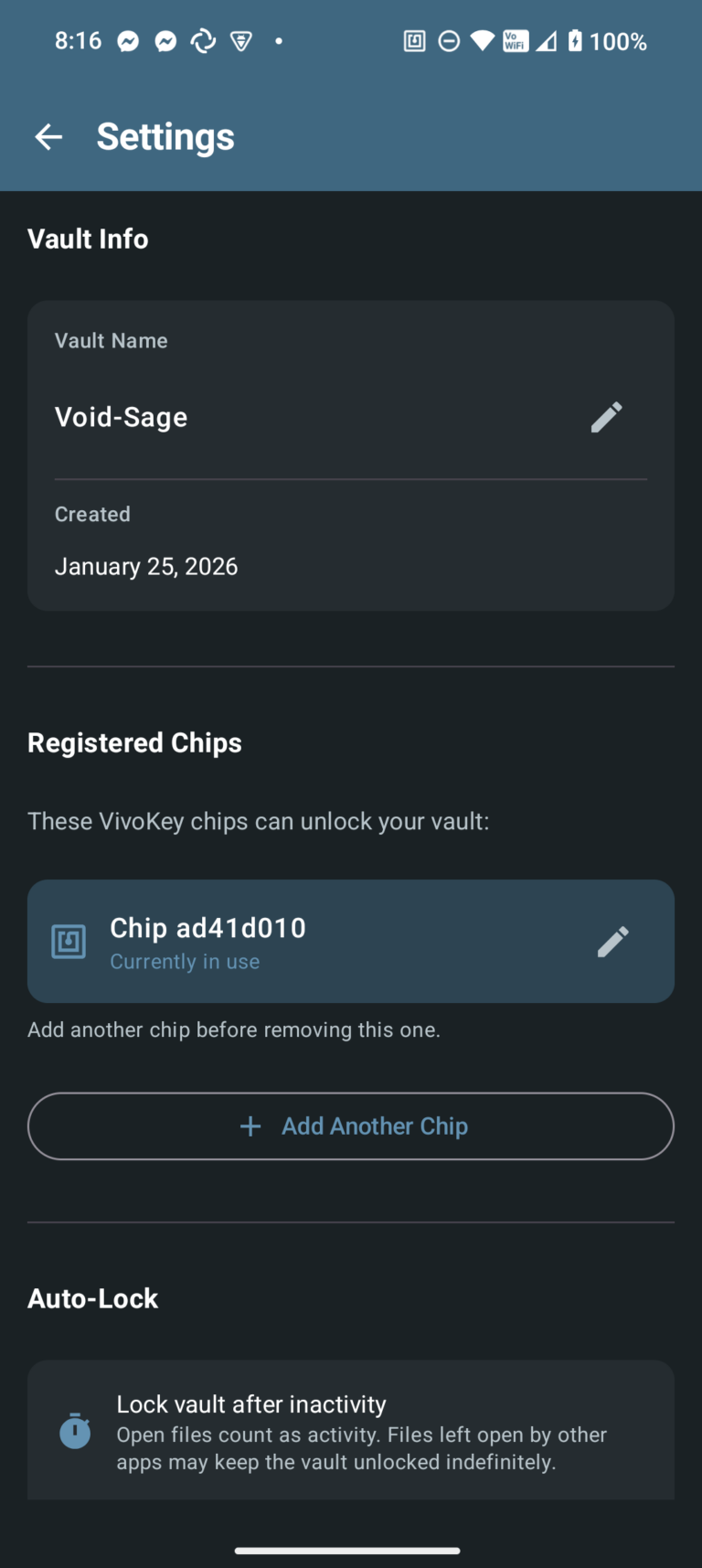
By using key slots and key wrapping, it's possible to register multiple VivoKey NFC chips with a single vault. However, due to the way multi-vault support works, you cannot register a single VivoKey NFC chip with more than one vault.
Backup and Restore
Vault backups are exported as encrypted .vkv files that contain all your files, metadata, and cryptographic key slots. Each backup includes the vault's master encryption key wrapped (encrypted) separately for every chip that was registered to the vault at the time of export. Without physical access to one of those registered chips, the backup file is cryptographically useless—there are no passwords or recovery codes that can decrypt it.
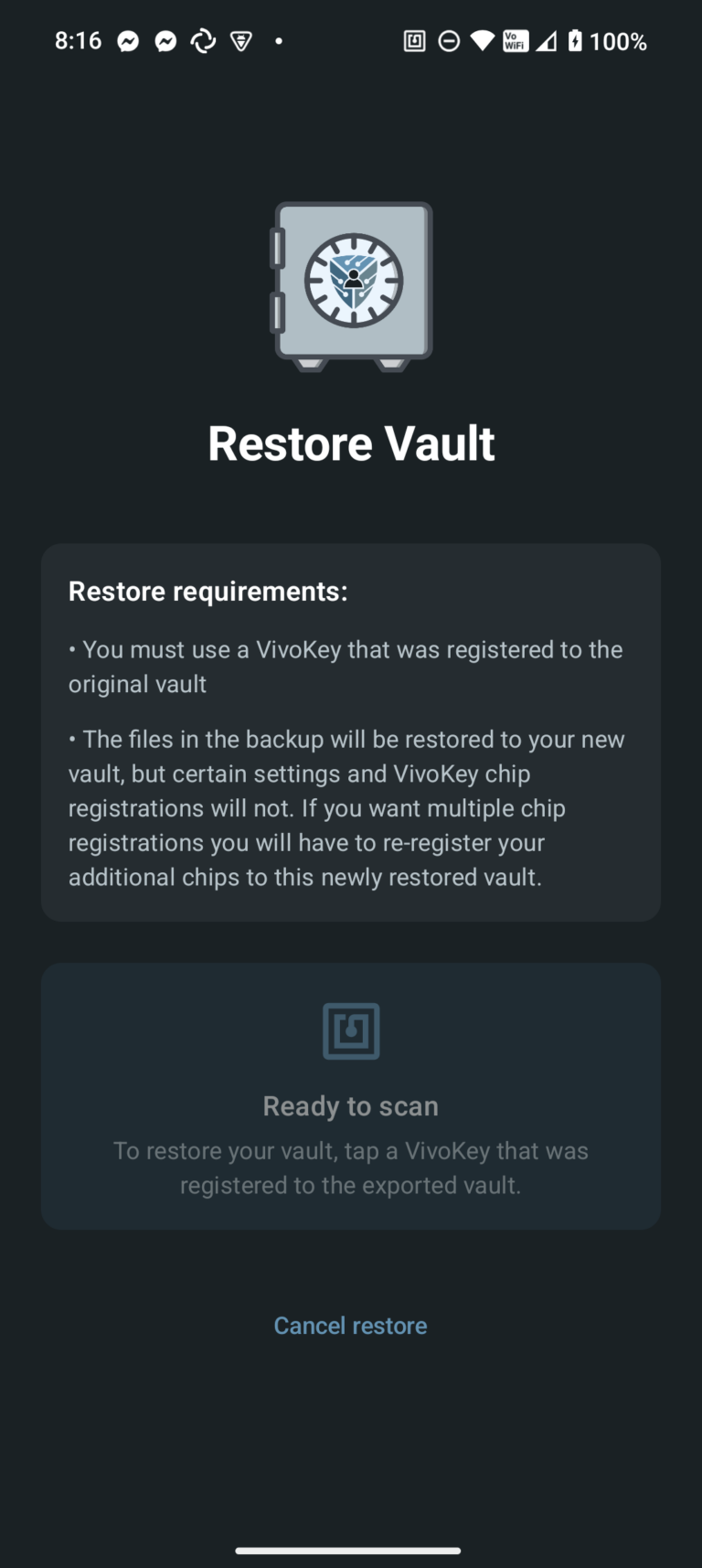
There are two ways to use a backup file depending on your situation. If you don't have a vault yet, you can restore a complete vault from a backup by scanning any chip that was registered when the backup was created—this recreates the vault with all its files and preserves the original vault name, but only registers the chip you used to restore (any other chips from the original vault must be re-added manually). If you already have an unlocked vault, you can import files from a backup into it. The import will identify files that don't already exist (by content hash) and add only new files, skipping duplicates and leaving your current vault name and registered chips unchanged.
VivoKey Vault Security Architecture
This document provides a detailed technical explanation of the security mechanisms used in VivoKey Vault, including encryption, key management, multi-chip support, and backup/restore security.
Table of Contents
- Overview
- Cryptographic Primitives
- Key Derivation from VivoKey Chips
- FIDO2 Offline Authentication
- Master Key Generation and Storage
- Multi-Chip Key Wrapping Architecture
- File Encryption
- Auto-Lock and Session Security
- Backup File Format
- Backup Security Analysis
- Threat Model
Overview
VivoKey Vault uses a layered encryption architecture where:
- A master key encrypts all vault contents (files and metadata)
- The master key is wrapped (encrypted) using keys derived from VivoKey NFC implants
- Multiple chips can be registered, each storing their own wrapped copy of the master key
- Backups include wrapped key slots, allowing restoration on new devices with any registered chip
The app supports two authentication methods:
- Online Authentication (Spark, Spark 2) - Chip identity verified via VivoKey API, requires network
- FIDO2 Offline Authentication (Apex) - Uses FIDO 2.1/CTAP 2.1 with hmac-secret extension, works completely offline
This design ensures that:
- Vault contents cannot be accessed without physical possession of a registered VivoKey chip
- Multiple chips can unlock the same vault (backup access)
- Backups can be restored on new devices without re-registering chips
- Loss of a single chip doesn't mean loss of data (if other chips are registered)
- FIDO2-enabled chips can access the vault without any network connectivity
Cryptographic Primitives
All cryptographic operations use industry-standard algorithms:
| Purpose | Algorithm | Key Size | Notes |
|---|---|---|---|
| Symmetric Encryption | AES-256-GCM | 256 bits | Authenticated encryption with 128-bit auth tag |
| Key Derivation | SHA-256 | 256 bits | Derives chip keys from chip ID |
| Content Hashing | SHA-256 | 256 bits | For file deduplication |
| IV/Nonce | Random | 96 bits | Unique per encryption operation |
// From VaultCrypto.kt
companion object {
    private const val ALGORITHM = "AES"
    private const val TRANSFORMATION = "AES/GCM/NoPadding"
    private const val GCM_IV_LENGTH = 12      // 96 bits
    private const val GCM_TAG_LENGTH = 128    // 128-bit authentication tag
    private const val KEY_LENGTH = 32         // 256 bits
}
Why AES-256-GCM?
- Provides both confidentiality and integrity (authenticated encryption)
- Widely audited and considered secure
- Hardware acceleration available on modern Android devices
- Detects tampering or corruption of encrypted data
Key Derivation from VivoKey Chips
When a VivoKey chip authenticates with the app, it provides a unique, stable chip ID (the raw payload from authentication). This chip ID is used to derive an AES-256 key:
// From VaultCrypto.kt
fun deriveKeyFromChipId(chipId: String): SecretKey {
    val digest = MessageDigest.getInstance("SHA-256")
    val keyBytes = digest.digest(chipId.toByteArray(Charsets.UTF_8))
    return SecretKeySpec(keyBytes, ALGORITHM)
}
Security properties:
- The chip ID is a cryptographic secret that only the physical chip can produce
- SHA-256 produces a uniformly distributed 256-bit key
- The same chip always produces the same derived key
- Different chips produce cryptographically independent keys
Chip identification (for UI display):
To identify chips without exposing the chip ID, we hash it again:
// From VaultCrypto.kt
fun hashChipId(chipId: String): String {
    val digest = MessageDigest.getInstance("SHA-256")
    val hashBytes = digest.digest(chipId.toByteArray(Charsets.UTF_8))
    return hashBytes.joinToString("") { "%02x".format(it) }
}
This hash is used as the filename for key slots and for displaying chip identifiers to users.
Important: NFC UID is NOT used for cryptography
The NFC UID (the 7-byte identifier readable from any NFC tag) is never used for key derivation, salting, or any cryptographic operation. The UID is:
- Only used for display purposes - Generating default chip nicknames (e.g., "Spark 2 AABBCCDD")
- Stored in encrypted preferences - Associated with the chip hash for UI display
- Not included in backup files - Nicknames and UIDs are device-local preferences
The cryptographic key material comes exclusively from:
- Spark/Spark 2: The
subclaim from the authenticated JWT (a cryptographic secret from the VivoKey API) - FIDO2 (Apex): The hmac-secret extension output (derived from the credential's private key)
FIDO2 Offline Authentication
VivoKey Vault supports FIDO2 authentication for Apex chips. This enables completely offline vault access without any network connectivity using the hmac-secret extension for deterministic key derivation.
FIDO 2.1 / CTAP 2.1 Requirements
VK Vault requires FIDO 2.1 / CTAP 2.1 compliant authenticators. This is enforced because:
| Requirement | Why It's Needed |
|---|---|
| FIDO 2.1 versions | Must report FIDO_2_1 or FIDO_2_1_PRE in authenticatorGetInfo |
| PIN Protocol 2 | Uses HKDF-based key derivation (more secure than Protocol 1's SHA-256) |
| pinUvAuthToken | Permission-based tokens for hmac-secret operations |
| hmac-secret extension | Required for deterministic key derivation |
Authenticators that only support FIDO 2.0 / CTAP 2.0 are rejected with an error message before PIN entry.
Architecture: Non-Resident Keys + hmac-secret
Unlike traditional FIDO2 implementations that store resident keys on the authenticator, VK Vault uses non-resident keys with server-side credential storage. This provides several advantages:
- No resident key slots consumed - The FIDO2 token remains stateless
- Multi-device support - Same token works across unlimited devices
- Simpler UX - No credential selection needed; app manages credentials
How FIDO2 Authentication Works
Registration Flow
1. makeCredential (rk=false)     -> Get credentialId (contains encrypted private key)
2. getAssertion + hmac-secret    -> Get deterministic secret output
3. Generate random unwrapping key
4. Encrypt unwrapping key with hmac-secret output
5. Store: credentialId + encrypted unwrapping key in .fido2slot file
6. Wrap master key with unwrapping key
Unlock Flow
1. Load all stored credentials from .fido2slot files
2. For each credential:
   a. getAssertion with allowList=[credentialId] + hmac-secret
   b. If NO_CREDENTIALS: try next credential
   c. If success: decrypt unwrapping key -> unwrap master key -> vault unlocked
3. If no match found: create new credential
The hmac-secret Extension
The hmac-secret extension provides deterministic cryptographic output based on the credential's private key:
credentialPrivateKey (never leaves chip)
        |
        v
HMAC-SHA256(wrapperKey, credentialPrivateKey)
        |
        v
hmacSecretKey (deterministic per credential)
        |
        v
HMAC-SHA256(hmacSecretKey, appSalt)
        |
        v
output (deterministic given same credential + salt)
Key properties:
- Output is deterministic for the same credential and salt
- Different output with/without user verification (UV)
- Requires PIN/UV for each operation
- Private key never leaves the secure element
Credential Storage Format
Each .fido2slot file contains serialized Fido2CredentialData:
+----------------------------------------------------------+
|  Version (1 byte): 0x01                                   |
|  CredentialId Length (2 bytes, big-endian)               |
|  CredentialId (variable, typically 96-144 bytes)         |
|  Encrypted Unwrapping Key:                               |
|    [12-byte IV] + [32-byte key + 16-byte GCM tag]        |
+----------------------------------------------------------+
The unwrapping key is encrypted with AES-256-GCM using the hmac-secret output as the key.
PIN Protection
FIDO2 chips can be configured with a PIN for additional security:
- PIN required for hmac-secret - The extension requires user verification
- PIN retry limits - The chip enforces retry limits; after too many failures, the PIN is blocked
- Same-token validation - After PIN entry, the user must rescan the same token to complete authentication
Security Properties of FIDO2
| Property | Description |
|---|---|
| Offline Operation | No network required; all authentication happens locally via NFC |
| Hardware-bound Keys | Credential private keys cannot be extracted from the chip |
| Deterministic Output | hmac-secret provides same output for same credential + salt |
| PIN Protection | Required for hmac-secret extension operations |
| PIN Protocol 2 | CTAP 2.1 uses HKDF-based key derivation for PIN operations |
| Replay Protection | CTAP 2.1 includes signature counters to detect cloning |
| No API Credentials | Unlike online authentication, no Developer ID or API Key needed |
| Stateless Token | Non-resident keys mean the token stores nothing |
FIDO2 vs Online Authentication
| Aspect | FIDO2 (Apex) | Online (Spark/Apex Online) |
|---|---|---|
| Network Required | No | Yes |
| API Credentials | Not needed | Developer ID + API Key |
| Key Source | hmac-secret output | Chip ID from JWT sub claim |
| PIN Support | Yes (required for hmac-secret) | No |
| Chip Verification | Local (CTAP 2.1) | Server-verified |
| Protocol Version | FIDO 2.1 / CTAP 2.1 required | N/A |
| PIN Protocol | Protocol 2 (HKDF-based) | N/A |
| Multi-device | Same token works everywhere | Same token works everywhere |
| Token Storage | None (stateless) | None |
Why hmac-secret Instead of Signatures?
ECDSA signatures in FIDO2 are non-deterministic (random k value per signature), making them unsuitable for key derivation. The hmac-secret extension provides:
- Deterministic output - Same input always produces same output
- Hardware-protected secret - Derived from credential's private key
- App-controlled salt - VK Vault uses a fixed app-specific salt
- PIN-gated access - Requires user verification for each operation
Master Key Generation and Storage
Master Key Generation
When a new vault is created, a random 256-bit master key is generated:
// From VaultCrypto.kt
fun generateMasterKey(): SecretKey {
    val keyGenerator = KeyGenerator.getInstance(ALGORITHM)
    keyGenerator.init(KEY_LENGTH * 8, secureRandom)  // 256 bits
    return keyGenerator.generateKey()
}
This master key is used to encrypt all vault contents. It is never stored in plaintext - only wrapped copies exist on disk.
Key Wrapping
The master key is encrypted (wrapped) using the chip-derived key:
// From VaultCrypto.kt
fun wrapKey(masterKey: SecretKey, wrappingKey: SecretKey): ByteArray {
    return encrypt(masterKey.encoded, wrappingKey)
}

fun unwrapKey(wrappedKey: ByteArray, unwrappingKey: SecretKey): SecretKey {
    val keyBytes = decrypt(wrappedKey, unwrappingKey)
    return SecretKeySpec(keyBytes, ALGORITHM)
}
The wrapped key format is: [12-byte IV] + [AES-GCM encrypted master key + auth tag]
Key Slot Storage
Each registered chip has a "slot" file containing the wrapped master key:
// From KeySlotManager.kt
fun createVault(chipId: String): SecretKey {
    // Generate new master key
    val masterKey = crypto.generateMasterKey()

    // Derive key from chip ID
    val chipKey = crypto.deriveKeyFromChipId(chipId)

    // Wrap master key and save slot
    val wrappedKey = crypto.wrapKey(masterKey, chipKey)
    val chipHash = crypto.hashChipId(chipId)
    File(keyslotsDir, "$chipHash.slot").writeBytes(wrappedKey)

    return masterKey
}
Storage location: {app_private_dir}/keyslots/{chip_hash}.slot
The slot file is named by the chip hash (not the chip ID) to prevent correlation attacks if an attacker gains file system access.
Multi-Chip Key Wrapping Architecture
Multiple chips can be registered to the same vault. Each chip stores its own wrapped copy of the same master key:
                    +-------------------+
                    |   Master Key      |
                    |   (256-bit)       |
                    +---------+---------+
                              |
            +-----------------+-----------------+
            |                 |                 |
            v                 v                 v
     +--------------+  +--------------+  +--------------+
     |   Chip A     |  |   Chip B     |  |   Chip C     |
     |  Derived Key |  |  Derived Key |  |  Derived Key |
     +------+-------+  +------+-------+  +------+-------+
            |                 |                 |
            v                 v                 v
     +--------------+  +--------------+  +--------------+
     |  Wrapped Key |  |  Wrapped Key |  |  Wrapped Key |
     |   Slot A     |  |   Slot B     |  |   Slot C     |
     +--------------+  +--------------+  +--------------+
Adding a New Chip
// From KeySlotManager.kt
fun addChip(chipId: String, masterKey: SecretKey): Boolean {
    return try {
        val chipKey = crypto.deriveKeyFromChipId(chipId)
        val wrappedKey = crypto.wrapKey(masterKey, chipKey)
        val chipHash = crypto.hashChipId(chipId)
        File(keyslotsDir, "$chipHash.slot").writeBytes(wrappedKey)
        true
    } catch (e: Exception) {
        false
    }
}
Unlocking with Any Registered Chip
// From KeySlotManager.kt
fun unlockWithChip(chipId: String): SecretKey? {
    val chipHash = crypto.hashChipId(chipId)
    val slotFile = File(keyslotsDir, "$chipHash.slot")

    if (!slotFile.exists()) {
        return null  // Chip not registered
    }

    return try {
        val wrappedKey = slotFile.readBytes()
        val chipKey = crypto.deriveKeyFromChipId(chipId)
        crypto.unwrapKey(wrappedKey, chipKey)
    } catch (e: Exception) {
        null  // Decryption failed (wrong key or corrupted)
    }
}
Security note: The AES-GCM authentication tag ensures that if an attacker modifies a slot file, decryption will fail rather than producing an incorrect key.
File Encryption
Chunked Encryption Format (VKF2)
Files are encrypted using chunked AES-256-GCM with AAD (Additional Authenticated Data) binding. This format enables seekable random-access decryption while preventing chunk manipulation attacks.
File Structure
+------------------------------------------------------------+
|  HEADER (20 bytes)                                          |
|  +--------------------------------------------------------+ |
|  |  Magic: "VKF2" (4 bytes)                               | |
|  |  Chunk Size: 262144 (4 bytes, 256KB default)           | |
|  |  Total Chunks: N (4 bytes)                             | |
|  |  Base IV: (8 bytes, random per file)                   | |
|  +--------------------------------------------------------+ |
+------------------------------------------------------------+
|  CHUNKS                                                     |
|  +--------------------------------------------------------+ |
|  |  Chunk 0: [Ciphertext (up to 256KB)] [GCM Tag (16b)]   | |
|  |  Chunk 1: [Ciphertext (up to 256KB)] [GCM Tag (16b)]   | |
|  |  ...                                                    | |
|  |  Chunk N-1: [Ciphertext] [GCM Tag (16 bytes)]          | |
|  +--------------------------------------------------------+ |
+------------------------------------------------------------+
Per-Chunk Cryptographic Binding
Each chunk is independently encrypted with unique IV and AAD:
Chunk IV (12 bytes) = BaseIV (8 bytes) || ChunkIndex (4 bytes big-endian)
Chunk AAD (24 bytes) = FileUUID (16 bytes) || ChunkIndex (4 bytes) || TotalChunks (4 bytes)
Security properties of AAD binding:
- Prevents chunk reordering - Wrong chunk index in AAD causes authentication failure
- Prevents chunk deletion - TotalChunks mismatch causes authentication failure
- Prevents cross-file attacks - FileUUID mismatch causes authentication failure
- Prevents chunk duplication - Each position has unique IV/AAD combination
Why Chunked Encryption?
Traditional streaming AES-GCM cannot support random access - you must decrypt from the beginning. Chunked encryption allows:
- Seekable media playback - Video/audio players can seek without decrypting the entire file
- Efficient large file access - Only decrypt the chunks being read
- Memory efficiency - No need to hold entire decrypted file in memory
Chunk Size Selection
The default chunk size of 256KB provides:
- Good seeking granularity (~1 second of video at typical bitrates)
- Reasonable overhead (16-byte tag per 256KB = 0.006% overhead)
- Efficient memory usage per chunk
Encrypting Files
// From VaultCrypto.kt
fun encryptFileChunkedStreaming(
    inputStream: InputStream,
    outputFile: File,
    key: SecretKey,
    fileId: String,
    plaintextSize: Long,
    chunkSize: Int = 256 * 1024  // 256KB default
): ChunkedFileHeader {
    val baseIv = ByteArray(8)
    secureRandom.nextBytes(baseIv)
    val totalChunks = ((plaintextSize + chunkSize - 1) / chunkSize).toInt()

    // Write header, then encrypt each chunk with unique IV and AAD
    // ...
}
Random-Access Decryption
// From VaultCrypto.kt
fun decryptChunk(
    file: File,
    header: ChunkedFileHeader,
    chunkIndex: Int,
    key: SecretKey,
    fileId: String
): ByteArray {
    // Seek directly to chunk position
    val chunkOffset = HEADER_SIZE + (chunkIndex * encryptedChunkSize)

    // Build IV and AAD for this specific chunk
    val iv = buildChunkIv(header.baseIv, chunkIndex)
    val aad = buildChunkAad(fileIdBytes, chunkIndex, header.totalChunks)

    // Decrypt with authentication
    cipher.init(Cipher.DECRYPT_MODE, key, GCMParameterSpec(GCM_TAG_LENGTH, iv))
    cipher.updateAAD(aad)
    return cipher.doFinal(encryptedChunkData)
}
Metadata Encryption
Vault metadata (file names, sizes, timestamps) is encrypted as a single blob:
// From VaultCrypto.kt
fun encrypt(data: ByteArray, key: SecretKey): ByteArray {
    val iv = generateIv()
    val cipher = Cipher.getInstance(TRANSFORMATION)
    cipher.init(Cipher.ENCRYPT_MODE, key, GCMParameterSpec(GCM_TAG_LENGTH, iv))
    val encrypted = cipher.doFinal(data)
    return iv + encrypted  // IV prepended to ciphertext
}
Auto-Lock and Session Security
The vault automatically locks after a period of inactivity to minimize the window of exposure if a device is left unattended.
Activity-Based Auto-Lock
The auto-lock timer resets on:
- User interaction - Any touch/tap within the app
- File access - Files opened via the DocumentsProvider (with 60-second grace period after close)
- Import/Export operations - Timer is paused during backup operations
// From VaultViewModel.kt
// Don't auto-lock if importing/exporting or if files are open/recently accessed
if (_isImporting.value || _isExporting.value ||
    vaultRepository.hasActiveFileAccess(FILE_ACCESS_GRACE_PERIOD)) {
    lastActivityTime = System.currentTimeMillis()
    continue
}
DocumentsProvider Integration
The vault exposes files to other apps via Android's Storage Access Framework (SAF) through a custom DocumentsProvider. This allows apps like PDF viewers, media players, or document editors to access decrypted file content while the vault is unlocked.
Seekable File Access:
Files are served via StorageManager.openProxyFileDescriptor() with a custom callback that:
- Reports accurate file size via
onGetSize() - Handles random-access reads by decrypting the appropriate chunk(s)
- Caches the most recently accessed chunk for sequential read performance
- Enables seeking in media players (video scrubbing, audio seeking)
// From SecureFilesProvider.kt
override fun onRead(offset: Long, size: Int, data: ByteArray): Int {
    // Determine which chunk contains the requested offset
    val chunkIndex = (offset / chunkSize).toInt()

    // Decrypt chunk (cached if recently accessed)
    val chunkData = getChunk(chunkIndex)

    // Copy requested portion to output buffer
    // ...
}
Security considerations:
- Files are decrypted on-the-fly per-chunk (not written to disk)
- Only the requested chunks are decrypted (not the entire file)
- Access is only available while the vault is unlocked
- Open file handles are tracked to prevent auto-lock while files are in use
- Thumbnails are served from encrypted metadata (base64 encoded, stored with file records)
Backup File Format
The .vkv backup file format (version 3) is designed to allow restoration on new devices while maintaining security.
File Structure
+------------------------------------------------------------+
|                    BACKUP FILE (.vkv)                       |
+------------------------------------------------------------+
|  HEADER (Unencrypted)                                       |
|  +--------------------------------------------------------+ |
|  |  Magic bytes: "VKV2" (4 bytes)                         | |
|  |  Number of wrapped keys: N (4 bytes, big-endian)       | |
|  |  +----------------------------------------------------+| |
|  |  |  Wrapped Key 1 size (4 bytes)                      || |
|  |  |  Wrapped Key 1 data (variable)                     || |
|  |  +----------------------------------------------------+| |
|  |  |  Wrapped Key 2 size (4 bytes)                      || |
|  |  |  Wrapped Key 2 data (variable)                     || |
|  |  +----------------------------------------------------+| |
|  |  |  ... (N wrapped keys total)                        || |
|  |  +----------------------------------------------------+| |
|  +--------------------------------------------------------+ |
+------------------------------------------------------------+
|  PAYLOAD (Encrypted with master key via AES-256-GCM)        |
|  +--------------------------------------------------------+ |
|  |  [12-byte IV] + [Encrypted ZIP + auth tag]             | |
|  |                                                        | |
|  |  ZIP Contents (after decryption):                      | |
|  |  +-- metadata.json (includes base64 thumbnails)        | |
|  |  +-- files/                                            | |
|  |      +-- {uuid1}.enc                                   | |
|  |      +-- {uuid2}.enc                                   | |
|  |      +-- ...                                           | |
|  +--------------------------------------------------------+ |
+------------------------------------------------------------+
Export Implementation
// From VaultBackup.kt
suspend fun exportVault(
    outputStream: OutputStream,
    vaultDir: File,
    metadata: VaultMetadata,  // Includes thumbnails as base64 in VaultFile entries
    key: SecretKey,
    wrappedKeys: List<ByteArray>
): Result<Unit> = withContext(Dispatchers.IO) {
    try {
        // First, create the ZIP in memory
        val zipBytes = ByteArrayOutputStream()
        ZipOutputStream(zipBytes).use { zip ->
            // Add metadata (with embedded thumbnails) and encrypted files to ZIP
            // ...
        }

        // Encrypt the ZIP payload
        val encryptedPayload = crypto.encrypt(zipBytes.toByteArray(), key)

        // Write backup file: magic + wrapped keys + encrypted payload
        java.io.DataOutputStream(outputStream).use { dos ->
            // Magic bytes
            dos.write(MAGIC_V2)  // "VKV2"

            // Number of wrapped key slots
            dos.writeInt(wrappedKeys.size)

            // Each wrapped key blob (size-prefixed)
            for (wrappedKey in wrappedKeys) {
                dos.writeInt(wrappedKey.size)
                dos.write(wrappedKey)
            }

            // Encrypted payload
            dos.write(encryptedPayload)
        }

        Result.success(Unit)
    } catch (e: Exception) {
        Result.failure(e)
    }
}
Restore Implementation
When restoring, the app tries each wrapped key with the scanned chip:
// From KeySlotManager.kt
fun tryUnwrapFromBackup(chipId: String, wrappedKeys: List<ByteArray>): SecretKey? {
    val chipKey = crypto.deriveKeyFromChipId(chipId)

    for (wrappedKey in wrappedKeys) {
        try {
            return crypto.unwrapKey(wrappedKey, chipKey)
        } catch (e: Exception) {
            // This blob wasn't wrapped with this chip's key, try next
            continue
        }
    }
    return null  // No matching wrapped key found
}
Backup Security Analysis
What an Attacker Learns from a Backup File
If an attacker obtains a .vkv backup file, they can determine:
| Information | Exposed? | Notes |
|---|---|---|
| Number of registered chips | Yes | Count of wrapped key blobs in header |
| Which chips are registered | No | No chip identifiers stored |
| File names | No | Encrypted in payload |
| File contents | No | Encrypted in payload |
| Thumbnails | No | Encrypted in payload (base64 in metadata) |
| File metadata | No | Encrypted in payload |
Why Wrapped Keys Are Safe
Each wrapped key blob is:
[12-byte random IV] + [AES-256-GCM encrypted master key]To unwrap a key, an attacker would need to:
- Obtain the chip ID (requires physical NFC authentication with the chip)
- Derive the chip key via SHA-256
- Decrypt the wrapped key using AES-256-GCM
Without the physical chip, the wrapped key is computationally infeasible to decrypt.
The AES-256 key space is 2^256, and there are no known practical attacks against AES-256-GCM that would allow recovery of the key or plaintext.
No Chip Identifier Correlation
Wrapped key blobs do not contain any chip-identifying information:
- Different backups from the same vault will have different wrapped key blobs (different IVs)
- An attacker cannot determine if two backups belong to the same user
- An attacker cannot determine which specific VivoKey chips are registered
Threat Model
Protected Against
| Threat | Protection |
|---|---|
| Device theft (locked vault) | Master key not in memory; requires chip to unlock |
| Device theft (unlocked vault) | Master key cleared on lock; activity-based auto-lock timer |
| Backup file theft | Payload encrypted; wrapped keys useless without chip |
| Cloud storage breach | Backup fully encrypted before upload |
| File system access | All vault files encrypted with AES-256-GCM |
| Tampering with encrypted files | GCM authentication tag detects modifications |
| Brute force on wrapped keys | 256-bit key space; computationally infeasible |
Not Protected Against
| Threat | Notes |
|---|---|
| Physical chip theft + device access | Attacker with chip can unlock vault (mitigated by FIDO2 PIN) |
| Memory forensics on unlocked device | Master key in memory while unlocked |
| Compromised device OS | Keyloggers, screen capture, etc. |
| Side-channel attacks | Not specifically hardened against timing attacks |
| Quantum computing | AES-256 has 128-bit post-quantum security (Grover's algorithm) |
FIDO2 PIN as Additional Protection
For FIDO2-enabled chips (Apex), enabling a PIN provides additional security against chip theft:
- Attacker must know the PIN in addition to having the physical chip
- PIN retry limits prevent brute force attacks
- After too many failed attempts, the PIN is blocked (requires chip reset)
This converts single-factor (possession) to two-factor (possession + knowledge) authentication.
Recommendations
- Register multiple chips - Provides backup access if one chip is lost
- Use auto-lock timer - Limits exposure window if device is stolen while unlocked
- Store backups securely - While encrypted, backups should still be protected
- Keep devices updated - OS security patches protect the runtime environment
Summary
VivoKey Vault implements defense-in-depth security:
- AES-256-GCM provides authenticated encryption for all data
- Chip-derived keys ensure only physical chip holders can access the vault
- Key wrapping enables multi-chip support without exposing the master key
- Encrypted backups with wrapped keys allow secure restoration on new devices
- No chip identifiers in backups prevents correlation attacks
- Activity-based auto-lock minimizes exposure window with smart inactivity detection
- Chunked encryption with AAD binding enables seekable media playback while preventing chunk manipulation
- On-demand chunk decryption via ProxyFileDescriptor allows random-access file reading without disk exposure
- FIDO2 offline authentication enables network-free vault access using hmac-secret extension
- Non-resident keys keep FIDO2 tokens stateless while app manages credential storage
- hmac-secret extension provides deterministic key derivation from hardware-protected secrets
- Required PIN protection for FIDO2 ensures two-factor authentication (possession + knowledge)
The security of the vault ultimately depends on the security of the VivoKey chip authentication mechanism and the physical security of registered chips.
Privacy Policy
VivoKey Vault
Last Updated: January 2025
Overview
VivoKey Vault ("the App") is a secure file storage application developed by VivoKey Technologies ("we", "us", or "our"). We are committed to protecting your privacy. This Privacy Policy explains what information we collect, how we use it, and your rights regarding your data.
The short version: Your files stay on your device. We cannot access them. With FIDO2-enabled chips (Apex), authentication happens entirely offline. For online-verified chips (Spark), we collect minimal data necessary to verify your chip. We do not sell or share your personal information.
Information We Collect
Information Stored Locally (On Your Device Only)
The following data is stored exclusively on your device and is never transmitted to us or any third party:
- Encrypted Files - All files you add to the vault are encrypted with AES-256-GCM and stored only on your device
- Vault Metadata - File names, sizes, timestamps, and thumbnails (all encrypted)
- Encryption Keys - Wrapped master keys stored locally, protected by your VivoKey chip
- App Preferences - Settings such as auto-lock timeout
We cannot access this data. It is encrypted with keys derived from your VivoKey chip. Without physical access to your registered chip(s), this data is cryptographically inaccessible.
Information Transmitted to VivoKey Services (Online Authentication)
When you authenticate with a Spark or Spark 2 chip using online authentication, the following occurs:
- Chip Authentication - Your chip communicates with VivoKey's verification API to confirm authenticity
- API Credentials - Your VivoKey Developer ID and API Key are used to authorize verification requests
- Chip Identifier - A cryptographic identifier from your chip is verified by VivoKey servers
This authentication verifies that you are using a genuine VivoKey chip. The chip identifier is used solely for authentication and is not stored by the App after the session ends.
For details on how VivoKey handles authentication data, please see the VivoKey Privacy Policy.
FIDO2 Offline Authentication (No Data Transmitted)
When you authenticate with an Apex chip using FIDO2 offline mode:
- No network communication - All authentication happens locally between your phone and chip via NFC
- No API credentials required - No Developer ID or API Key needed
- No data sent to any server - The entire authentication process is offline
FIDO2 authentication uses the CTAP2 protocol to verify your chip locally. The credential ID from the chip's resident key is used to derive encryption keys, but this identifier never leaves your device.
Information We Do NOT Collect
- We do not collect your files or their contents
- We do not collect analytics or usage data
- We do not collect device identifiers or advertising IDs
- We do not collect location data
- We do not collect contacts, call logs, or messages
- We do not use third-party analytics, crash reporting, or advertising SDKs
How We Use Information
Local Data
All locally stored data is used solely to provide the App's functionality:
- Encrypting and decrypting your files
- Displaying file listings and thumbnails
- Managing registered chips
- Creating and restoring backups
Authentication Data
Chip authentication data is used solely to:
- Verify your VivoKey chip is genuine
- Derive encryption keys for vault access
Data Storage and Security
Encryption
- All files are encrypted using AES-256-GCM (authenticated encryption)
- Encryption keys are derived from your VivoKey chip's cryptographic identity
- Keys are wrapped and stored locally; they cannot be accessed without your chip
Local Storage
- All vault data is stored in the App's private storage directory
- Data is protected by Android's application sandboxing
- Data is additionally protected by file-level encryption
Backups
- Backup files (.vkv) are fully encrypted before export
- Backups contain wrapped keys that only work with your registered chip(s)
- You control where backups are stored (local storage, cloud, etc.)
- We have no access to your backups
Data Sharing
We do not sell, trade, or share your personal information with third parties.
The only external communication is:
- VivoKey Authentication API - Used to verify chip authenticity during unlock
No file contents, metadata, or personal information is transmitted to any server.
Data Retention
Local Data
Data remains on your device until you:
- Delete individual files from the vault
- Delete the vault entirely
- Uninstall the App
Authentication Data
Chip authentication data (session tokens) are held in memory only during active use and cleared when the vault locks.
Your Rights
You have complete control over your data:
- Access - All your data is stored locally on your device
- Export - You can export your files or create encrypted backups at any time
- Deletion - You can delete individual files or your entire vault
- Portability - Encrypted backups can be restored on any device with your registered chip
Children's Privacy
VivoKey Vault is not directed at children under 13. We do not knowingly collect information from children under 13. VivoKey implants require a minor surgery and are intended for adults.
Changes to This Policy
We may update this Privacy Policy from time to time. We will notify you of any changes by:
- Updating the "Last Updated" date at the top of this policy
- Posting the new policy in the App and on our website
Your continued use of the App after changes constitutes acceptance of the updated policy.
Permissions Explained
VivoKey Vault requests the following Android permissions:
| Permission | Purpose |
|---|---|
| NFC | Required to communicate with your VivoKey chip for authentication |
| Internet | Required for online chip verification (Spark chips); not used with FIDO2 offline mode (Apex chips) |
We do not request permissions for camera, microphone, contacts, location, or other sensitive data.
Contact Us
If you have questions about this Privacy Policy or our privacy practices, please contact us:
VivoKey Technologies
- Email: privacy@vivokey.com
- Website: https://vivokey.com
- Support: support@vivokey.com
Summary
| What | Collected? | Shared? |
|---|---|---|
| Your files | No (stored locally, encrypted) | No |
| File metadata | No (stored locally, encrypted) | No |
| Analytics/usage data | No | No |
| Advertising data | No | No |
| Chip authentication (online mode) | Yes (for verification only) | With VivoKey API only |
| Chip authentication (FIDO2 offline) | No (entirely local) | No |
| Device identifiers | No | No |
| Location | No | No |
Your vault. Your device. Your privacy.